
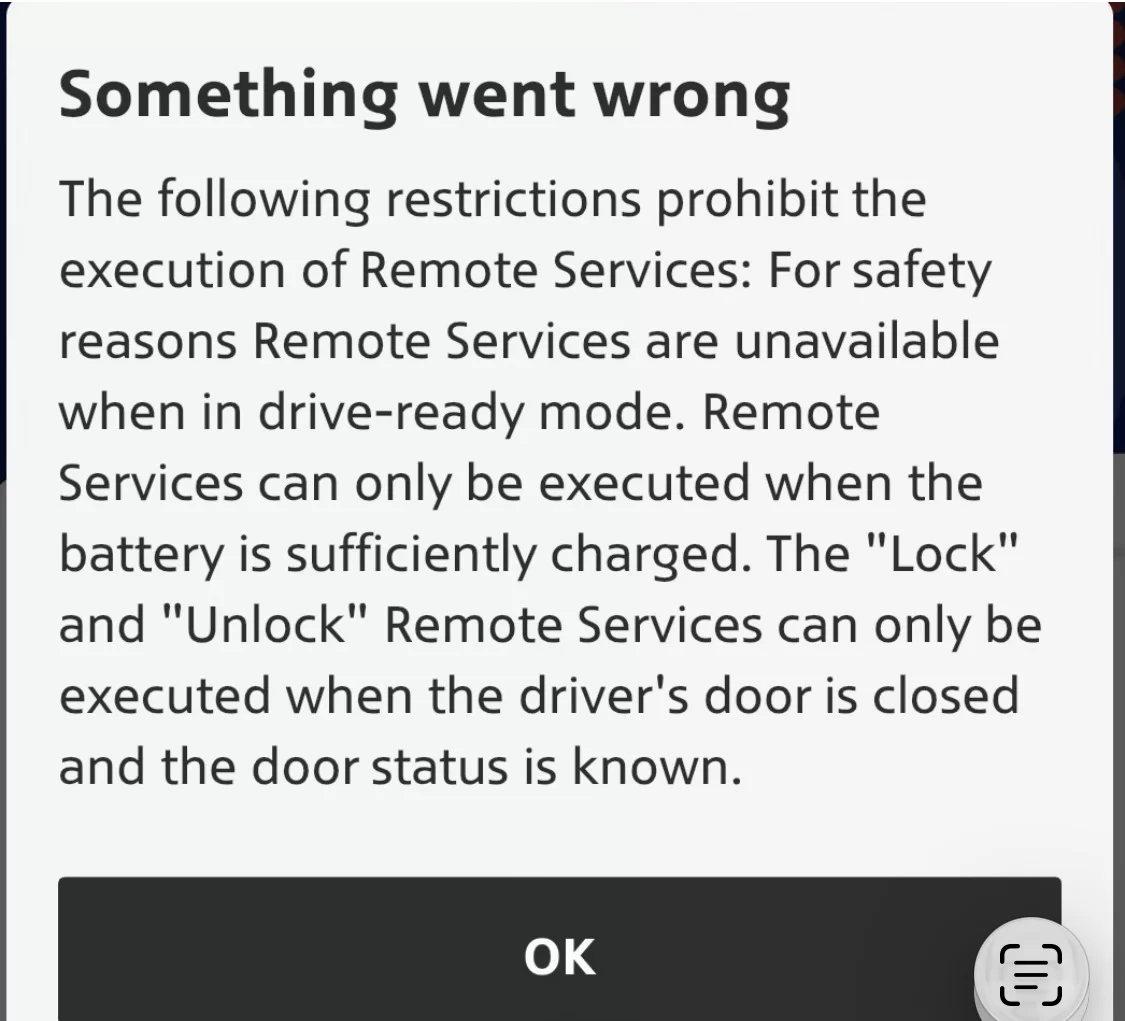
Hey guys. Been dealing with an issue since the battery software safety update with MINI connected and MINI dealership fail to acknowledge. Prior to update all remote functions worked. Now I get this error:
“Something went wrong
The following restrictions prohibit the execution of Remote Services: For safety reasons Remote Services are unavailable when in drive-ready mode. Remote Services can only be executed when the battery is sufficiently charged. The "Lock" and "Unlock" Remote Services can only be executed when the driver's door is closed and the door status is known.“
I’ve done everything. Signed out and removed my MINI from the MINI app and my MINI garage website, Deleted the MINI app, restarted my phone, updated mini services (transfer successful), logged out and back into my account in the MINI infotainment. Reset privacy and data (locked car and left for 20) mins, etc.
The stupid infotainment reset of holding the volume button down for 30, 60, 90 seconds doesn’t trigger an infotainment reboot.
MINI connected says there’s nothing wrong with the network or SIM based on their “remote testing”. Odd thing is, my mini connected services still work (even without my phone paired and connected or in vehicle), I can SOS calls out, concierge and MINI assist dial out as well as customer service.
Something is up with the telematics ATM unit for secure incoming commands. I also stopped receiving charging stats from home and that charging has completed (and the data is not logged).
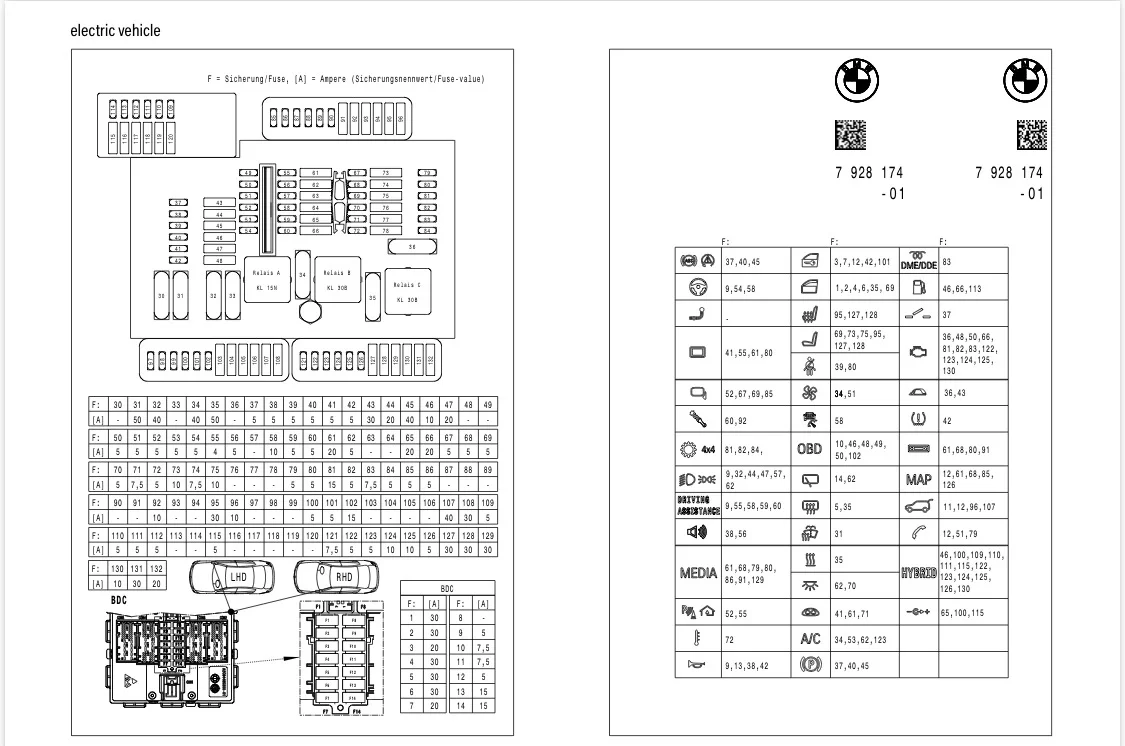
Chat GBT said to pull the telematics fuses for 20 minutes to shut it down and then put back in. Odd thing is that the fuse diagram from MINI’s website doesn’t look anything like mine via VIN. The pictorial diagram doesn’t show anything even remotely close to what would resemble the fuses needed to pull for a full reset.
ChatGBT also said to disconnect 12 V battery and I almost did until I saw how it was tucked back under the hood in a very inaccessible way. I also read that you can disconnect 12V without disconnecting the high voltage (found in trunk apparently and I’m not messing with that).
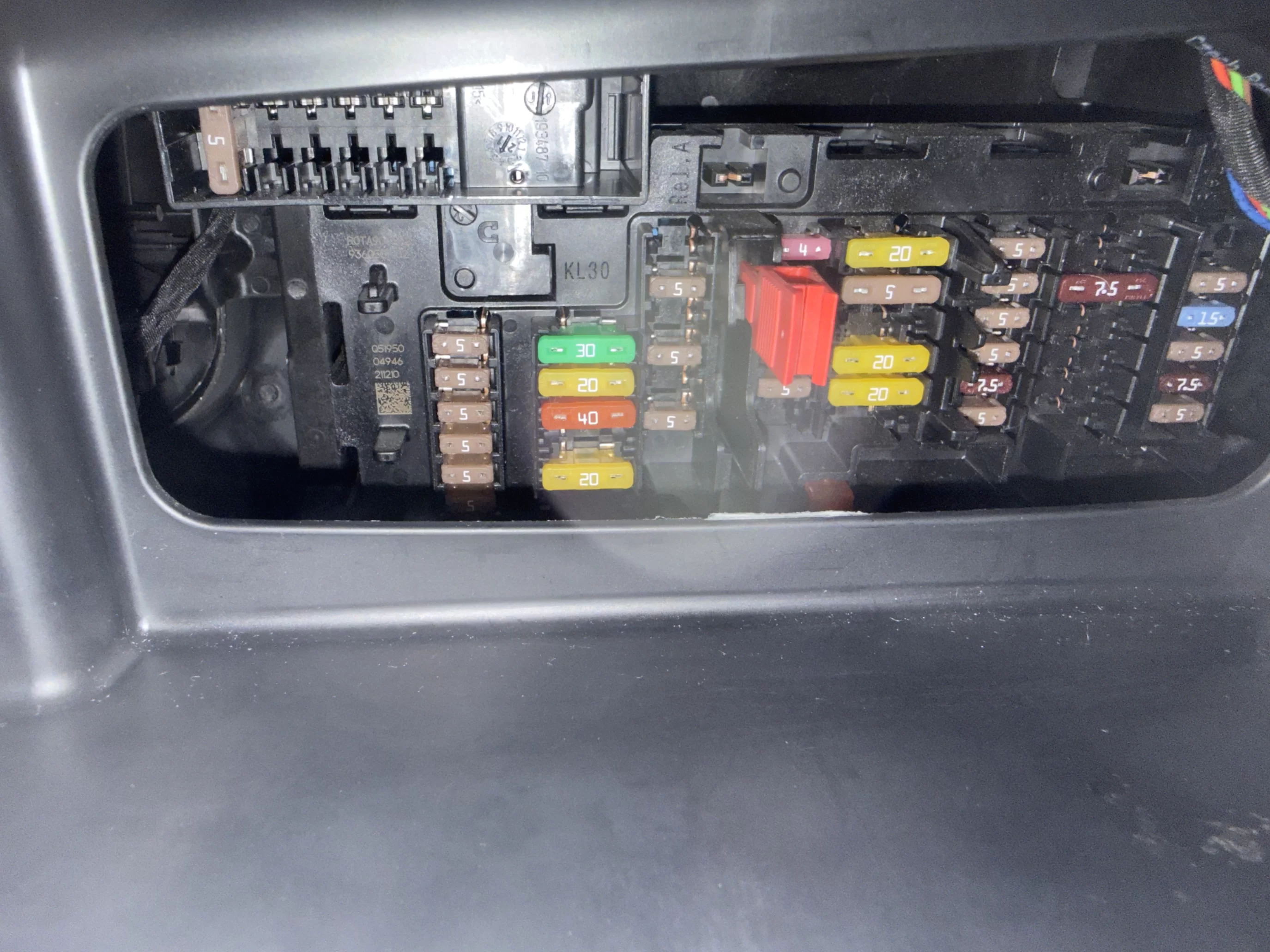
Anyone have this issue or this car and know what fuses needed to be pulled? ChatGBT said to pull fuses based on my diagram that aren’t even there! Obviously my car is locked, and not in a drive ready state. I don’t know if need to pull a certain fuse to reset the drive ready and telematics’ fuses or what to get the infotainment to reset. Using Bimmercode to restart the ECU doesn’t do jack to restart infotainment.
I’m at a loss.
Anyone have any ideas? Is there a different fuse box other than the one in the glove compartment back? ChatGBT is notoriously unreliable and hallucinates bad and incorrect info so it can’t be trusted. Here’s my diagram. ANY HELP would greatly be appreciated. I can’t pre condition anymore or get charging stats in the app, and nobody at MINI will help me. They even refused to reflash my software now that I’m out of warranty even though I reported it the day I left the dealership after this stupid battery software update that triggered this.
“Something went wrong
The following restrictions prohibit the execution of Remote Services: For safety reasons Remote Services are unavailable when in drive-ready mode. Remote Services can only be executed when the battery is sufficiently charged. The "Lock" and "Unlock" Remote Services can only be executed when the driver's door is closed and the door status is known.“
I’ve done everything. Signed out and removed my MINI from the MINI app and my MINI garage website, Deleted the MINI app, restarted my phone, updated mini services (transfer successful), logged out and back into my account in the MINI infotainment. Reset privacy and data (locked car and left for 20) mins, etc.
The stupid infotainment reset of holding the volume button down for 30, 60, 90 seconds doesn’t trigger an infotainment reboot.
MINI connected says there’s nothing wrong with the network or SIM based on their “remote testing”. Odd thing is, my mini connected services still work (even without my phone paired and connected or in vehicle), I can SOS calls out, concierge and MINI assist dial out as well as customer service.
Something is up with the telematics ATM unit for secure incoming commands. I also stopped receiving charging stats from home and that charging has completed (and the data is not logged).
Chat GBT said to pull the telematics fuses for 20 minutes to shut it down and then put back in. Odd thing is that the fuse diagram from MINI’s website doesn’t look anything like mine via VIN. The pictorial diagram doesn’t show anything even remotely close to what would resemble the fuses needed to pull for a full reset.
ChatGBT also said to disconnect 12 V battery and I almost did until I saw how it was tucked back under the hood in a very inaccessible way. I also read that you can disconnect 12V without disconnecting the high voltage (found in trunk apparently and I’m not messing with that).
Anyone have this issue or this car and know what fuses needed to be pulled? ChatGBT said to pull fuses based on my diagram that aren’t even there! Obviously my car is locked, and not in a drive ready state. I don’t know if need to pull a certain fuse to reset the drive ready and telematics’ fuses or what to get the infotainment to reset. Using Bimmercode to restart the ECU doesn’t do jack to restart infotainment.
I’m at a loss.
Anyone have any ideas? Is there a different fuse box other than the one in the glove compartment back? ChatGBT is notoriously unreliable and hallucinates bad and incorrect info so it can’t be trusted. Here’s my diagram. ANY HELP would greatly be appreciated. I can’t pre condition anymore or get charging stats in the app, and nobody at MINI will help me. They even refused to reflash my software now that I’m out of warranty even though I reported it the day I left the dealership after this stupid battery software update that triggered this.
